Zapier vs Make vs n8n: which should a small business use in 2026?
An honest comparison from people who build on all three: hosting, learning curve, AI features and how each one charges.

Henil Mehta · Automation Expert
· 7 min read
Short answer
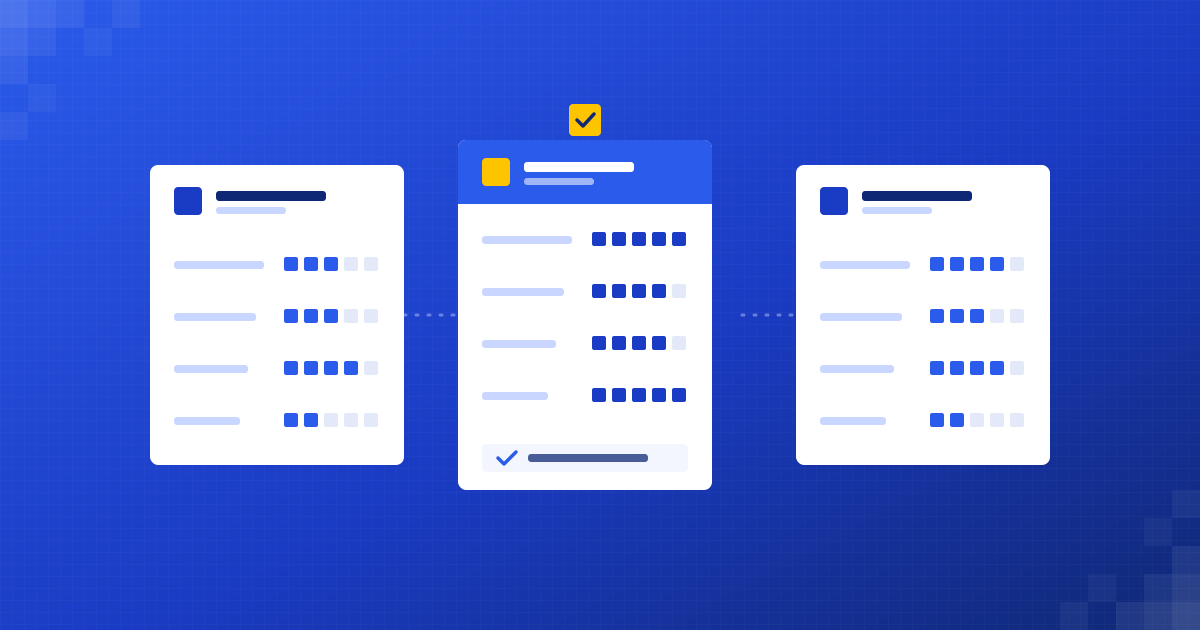
Pick Zapier if you want the quickest setup and the widest app catalogue. Pick Make if you want visual control over complex, branching workflows. Pick n8n if you want to self-host, keep data on your own servers or run long, multi-step workflows without paying per step. All three handle most small business automations well.
What are Zapier, Make and n8n?
All three are workflow automation platforms. They connect the apps you already use, such as Gmail, Google Sheets, HubSpot, Slack, Shopify or Xero, and move data between them when something happens.
A new form entry creates a CRM contact. A paid invoice updates a spreadsheet. An email with an attachment gets read and filed. The idea is the same in all three tools. The differences are in how you build, where it runs and how you pay.
- Zapier calls a workflow a Zap. Each Zap has a trigger and one or more actions.
- Make calls a workflow a scenario. You build it on a visual canvas of connected modules.
- n8n calls it a workflow. You build it on a canvas of nodes, and you can run n8n on its cloud or on your own server.
Which is easiest to learn?
Zapier is the easiest to start with. You build a Zap step by step in a linear editor, and Zapier Copilot can draft a Zap from a plain-English description. Most people get a simple two-step Zap working in an afternoon.
Make takes a little longer. The visual canvas shows every branch, filter and loop, which is great once you understand it. Routers, iterators and aggregators give you a lot of control, but they're new ideas for most people.
n8n has the steepest curve of the three. The editor is visual, but it assumes you're comfortable with data structures such as JSON, and it's easy to drop into a Code node for anything unusual. Developers tend to like it. Non-technical teams usually need help to start.
Can you self-host Zapier, Make or n8n?
Only n8n can be self-hosted. That is the biggest practical difference between the three.
- Zapier is cloud-only. Your workflows and the data passing through them run on Zapier's servers.
- Make is cloud-only too. It offers an on-prem agent so scenarios can reach systems inside your own network, but the platform itself runs in Make's cloud.
- n8n can run on n8n Cloud or on your own server. The self-hosted Community Edition is free to use for your own internal business purposes under n8n's Sustainable Use License. Paid Business and Enterprise plans add features on top.
Self-hosting matters when client data must stay on infrastructure you control, or when a regulator or customer contract asks where data is processed. The trade-off is that someone has to keep the server patched, backed up and monitored.
How does pricing work for each tool?
The three tools count usage in different ways. The unit matters more than the headline price, because the same workflow can cost very different amounts depending on how it's counted.
- Zapier counts tasks. A task is a successful action step in a Zap. Triggers don't count, and Zapier's built-in tools such as Filter, Formatter, Paths and Delay don't use tasks either. Failed steps aren't counted.
- Make counts credits. Most module actions use one credit each. Routers and error handlers don't use credits. A scenario with ten steps uses roughly ten credits each time it runs.
- n8n counts executions. One execution is one full run of a workflow, however many steps it has and however much data it processes.
In practice, that means long workflows with many steps tend to be cheapest on n8n, short and simple ones are fine anywhere, and high-volume, many-step workflows are where Zapier's per-task model adds up fastest.
All three change their plans from time to time, so check the current pricing pages for Zapier, Make and n8n before you decide. We don't quote prices here because they move.
Compare the billing unit, not the headline price. Tasks, credits and executions count the same workflow very differently.
What AI features does each tool have in 2026?
All three now treat AI as a core feature rather than an add-on.
- Zapier has Copilot for building Zaps from a description, AI by Zapier steps for extracting and generating content inside a Zap, Zapier Agents for AI-driven tasks across apps, and Zapier MCP for giving AI tools access to its app connections.
- Make has Maia by Make for building scenarios through conversation, Make AI Agents, and a large set of AI apps, including modules for OpenAI, Anthropic Claude and Google Gemini.
- n8n has an AI Agent node, dedicated AI nodes for chat models, memory and vector stores, MCP support, and an AI Assistant inside the editor.
For everyday jobs such as reading an invoice, classifying an email or drafting a reply, all three do the job. n8n gives the most control over how an AI agent is wired together. Zapier gets you to a working result fastest.
How do Zapier, Make and n8n compare side by side?
Here is the short version, one tool at a time.
Zapier at a glance:
- Best for: quick, simple automations across many apps.
- Hosting: cloud only.
- Learning curve: gentle.
- Billing unit: tasks (successful action steps).
- Free plan: yes, limited to two-step Zaps.
Make at a glance:
- Best for: visual, multi-branch workflows with heavy data handling.
- Hosting: cloud only, with an on-prem agent for reaching local systems.
- Learning curve: moderate.
- Billing unit: credits (most actions use one).
- Free plan: yes, with limits on active scenarios and how often they run.
n8n at a glance:
- Best for: complex, AI-heavy or data-sensitive workflows.
- Hosting: n8n Cloud or self-hosted.
- Learning curve: steepest of the three.
- Billing unit: executions (one per full workflow run).
- Free option: the self-hosted Community Edition, for internal business use.
When should you pick Zapier, Make or n8n?
- Pick Zapier when your team will build and maintain the automations themselves, the workflows are short, and you need a connector for a less common app.
- Pick Make when workflows have lots of branches, loops or data transformation, and you want to see the whole flow on one screen.
- Pick n8n when data must stay on your own servers, workflows run many steps per execution, or you want to build AI agents with full control over each part.
Many businesses end up using more than one. That's fine, as long as someone knows which automation lives where and who looks after it.
Which one does Dizilus use?
We build on all three, and we pick per client. The choice comes from the tools you already use, who on your team will look after the automation, how much data flows through it and where that data is allowed to live.
If you'd like a second opinion on your own setup, book a free 30-minute automation audit at /free-automation-audit/. We'll look at the task you want to automate and tell you which platform we'd use and why, even if the answer is the one you already pay for.
Questions people ask
Is n8n free?
The self-hosted Community Edition of n8n is free to use for your own internal business purposes under the Sustainable Use License. You still pay for the server it runs on. n8n Cloud and the Business and Enterprise plans are paid.
Is Make cheaper than Zapier?
It depends on the workflow. Zapier counts tasks and Make counts credits, and both roughly charge per action step, but they count built-in tools differently. Model your real workflows on each current pricing page before comparing.
Can I move my Zaps to Make or n8n?
Not automatically. Each platform stores workflows in its own format, so moving means rebuilding. The logic usually carries over well, which makes a rebuild faster than the original build.
Which tool is best for AI agents?
All three now offer AI agents. n8n gives the most control over how an agent is built, including memory and tools. Zapier Agents and Make AI Agents are quicker to set up for simpler jobs.
Written by
Henil Mehta
Automation Expert at Dizilus. You talk to the people who build your automations, not a sales rep.