The best tools to automate lead replies in under a minute
CRM workflows, WhatsApp providers, AI drafting and booking links. What each one does well, and what to check before you switch it on.

Henil Mehta · Automation Expert
· 7 min read
Short answer
To reply to leads in under a minute, start with the automation built into your CRM (HubSpot workflows, Zoho CRM workflow rules or Pipedrive automations). Add a WhatsApp Business API provider such as Interakt, WATI or Twilio if leads message you there, use AI through n8n, Make or Zapier to tailor replies, and include a Calendly or Cal.com booking link.
What does a fast lead reply need to do?
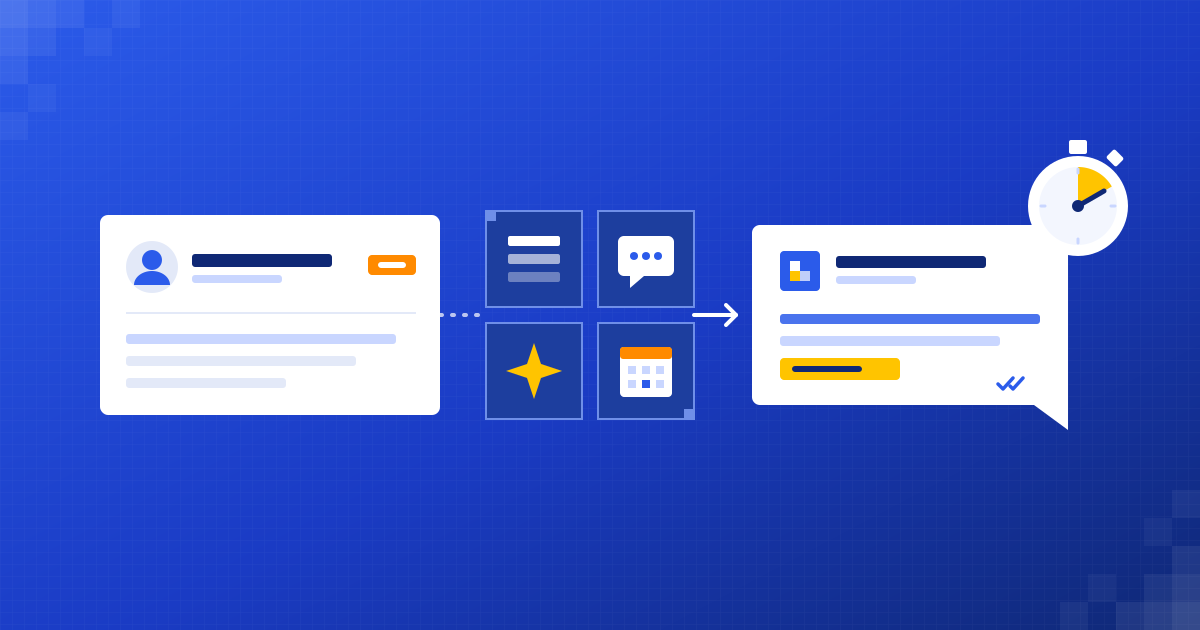
A fast reply isn't just an acknowledgement. To be useful, it should do four things within a minute of the enquiry arriving.
- Answer what the person actually asked, or at least show you read it.
- Ask one qualifying question, or offer a time to talk.
- Log the lead and the reply in your CRM.
- Tell the right person on your team when the lead needs a human.
We cover why speed matters, and what a good reply sounds like, in our guide at /blog/reply-to-leads-fast/. This post is about the tools.
Can your CRM reply to leads on its own?
Often, yes. If you already use a CRM, its built-in automation is the simplest place to start, because the lead data is already there.
- HubSpot workflows: available on Professional and Enterprise plans of hubs such as Sales Hub and Marketing Hub. A form submission or new contact can trigger a workflow that sends an email, creates a task, assigns an owner and notifies your team.
- Zoho CRM workflow rules: run when a record is created or edited. Instant actions include email notifications, tasks, field updates, webhooks and custom functions, so a new lead can get an email straight away.
- Pipedrive automations: found under Automations in settings. A trigger, such as a new deal or person being created, can send an email from your synced mailbox, create an activity or update a field.
The limit is the reply itself. Most CRM automations send a template with the person's name merged in. That's fast, but it can't respond to what they wrote. For that you need an AI step, covered below.
How do you reply to WhatsApp leads automatically?
The WhatsApp Business app on a phone is fine for a small number of chats, but it isn't built for automation. For automatic replies you need the WhatsApp Business Platform (often called the WhatsApp Business API), usually through a provider.
- Interakt: a WhatsApp business messaging platform popular in India, with a shared inbox, a no-code chatbot builder, simple lead management and integrations such as Shopify and WooCommerce.
- WATI: built on the WhatsApp Business API, with a shared team inbox, no-code chatbots, AI agents that can hand over to a person, and integrations including HubSpot, Salesforce, Shopify and Zapier.
- Twilio: a developer platform that gives you WhatsApp messaging through its APIs. More flexible, but you or your developer build the logic.
Two WhatsApp rules shape everything you build. First, people must opt in to hear from your business before you message them. Second, when a customer messages you, a 24-hour customer service window opens and you can reply freely. Outside that window you can only send pre-approved template messages.
For inbound leads this works well. Someone messages you, the window is open, and your automation can reply straight away.
How do you make automatic replies sound human with AI?
This is where a reply goes from “Thanks, we'll be in touch” to one that answers the question. The usual pattern is an automation platform in the middle, with an AI model doing the drafting.
- n8n: workflow automation you can use on n8n Cloud or self-host, including a free self-hosted Community edition. Self-hosting is useful when you want lead data to stay on your own servers.
- Make: visual scenarios that connect forms, CRMs, email and messaging apps, with modules for AI providers.
- Zapier: a very large range of app connections, and quick to set up for simple flows.
Inside the flow, the AI step calls a model such as OpenAI's GPT models or Anthropic's Claude. The prompt includes your services, your tone, what the AI may and may not say, and the lead's message. The output is a short reply and a few labels, such as service wanted, urgency and whether a human should take over.
- Trigger: a new form entry, email, WhatsApp message or CRM record.
- AI step: read the message, draft a reply, label the lead.
- Check step: plain rules catch anything the AI shouldn't send, such as prices or promises.
- Send step: reply by email or WhatsApp, with a booking link.
- Log step: write the lead, the reply and the labels to your CRM, and alert the owner if needed.
Which scheduling tool should you put in the reply?
A booking link turns a reply into a next step. Two common options:
- Calendly: widely used, with routing forms that can qualify a lead and send them to the right person's calendar. It can route from HubSpot, Marketo and Pardot forms and look up existing accounts in Salesforce.
- Cal.com: open source and can be self-hosted, with routing and round-robin options for teams. A good fit if you want more control over your data or the booking page.
Both connect to Google and Microsoft calendars, so the meeting lands in the right diary without anyone copying details across.
How do the main approaches compare?
A quick side-by-side to help you pick a starting point.
- CRM-native automation (HubSpot, Zoho CRM, Pipedrive): fastest to set up if you already have the CRM; replies are templates rather than tailored answers.
- WhatsApp API provider (Interakt, WATI, Twilio): reaches leads where they already message you; needs opt-in and follows WhatsApp's template rules outside the 24-hour window.
- AI drafting through n8n, Make or Zapier: replies that respond to what the lead wrote; needs careful prompts, testing and a human handover.
- Scheduling link (Calendly, Cal.com): turns any reply into a booked call; works alongside the others rather than replacing them.
Most good setups combine three of these: a trigger from your CRM or inbox, an AI step for the wording, and a booking link at the end.
What should you check before you switch it on?
Speed is easy. Getting it right takes a bit more care.
- Data privacy: know where lead data goes. Check each tool's data processing terms, especially the AI provider's. In India, consider your obligations under the Digital Personal Data Protection Act, 2023, and under GDPR if you have leads in Europe.
- Consent: only message people on WhatsApp who have opted in, and make it easy to opt out.
- Tone: test replies on your last 20 real enquiries and read them out loud. If one sounds wrong, fix the prompt or the rule.
- Guardrails: the automation shouldn't quote prices, promise dates or answer complaints on its own.
- Human handover: decide which leads go straight to a person, and make sure that person gets the full conversation history.
- Monitoring: set up an alert for failed runs, so a broken connection doesn't quietly drop leads.
Should you build it yourself or have it built?
If your needs are simple, a CRM workflow and a booking link may be all you need, and you can set them up yourself in an afternoon.
If you want AI-tailored replies across several channels, with proper guardrails and monitoring, it takes more work to get right. You can build it in-house, or have someone build it for you. We do this kind of build at Dizilus, inside the tools you already use. Our free 30-minute automation audit at /free-automation-audit/ is a good place to talk it through. We also compare the two routes honestly in /blog/automation-agency-vs-in-house/.
Questions people ask
What is the fastest way to reply to new leads automatically?
Use your CRM's built-in automation to send an instant email when a lead is created, with a booking link. Add an AI step later if you want replies that respond to what the lead wrote.
Can I send automatic WhatsApp replies to leads?
Yes, through the WhatsApp Business Platform, usually via a provider such as Interakt, WATI or Twilio. People must opt in, and outside the 24-hour customer service window you can only send approved templates.
Is it safe to use AI to reply to leads?
It can be, with guardrails. Limit what the AI may say, block prices and promises, test on real past enquiries, check the AI provider's data terms and hand sensitive messages to a person.
Do I need n8n, Make or Zapier if I already have a CRM?
Not for template replies. You need one when you want to add AI drafting, connect several channels, or link tools your CRM doesn't integrate with directly.
Written by
Henil Mehta
Automation Expert at Dizilus. You talk to the people who build your automations, not a sales rep.