The best tools to automate invoice processing in 2026
Built-in accounting features, AI document readers, dedicated AP tools and custom workflows: what each one does and who it fits.

Shubham Naliyapara · Business & Sales Expert
· 6 min read
Short answer
Most small businesses should start with the invoice capture built into their accounting software, such as Hubdoc for Xero, bill forwarding in QuickBooks Online or autoscan in Zoho Books. For higher volumes, add Dext, Rossum or Nanonets. For unusual workflows, build an n8n, Make or Zapier flow with AI extraction.
What does invoice processing automation actually do?
Invoice processing automation takes a supplier invoice from wherever it arrives to a bill in your accounting software, without someone typing it in.
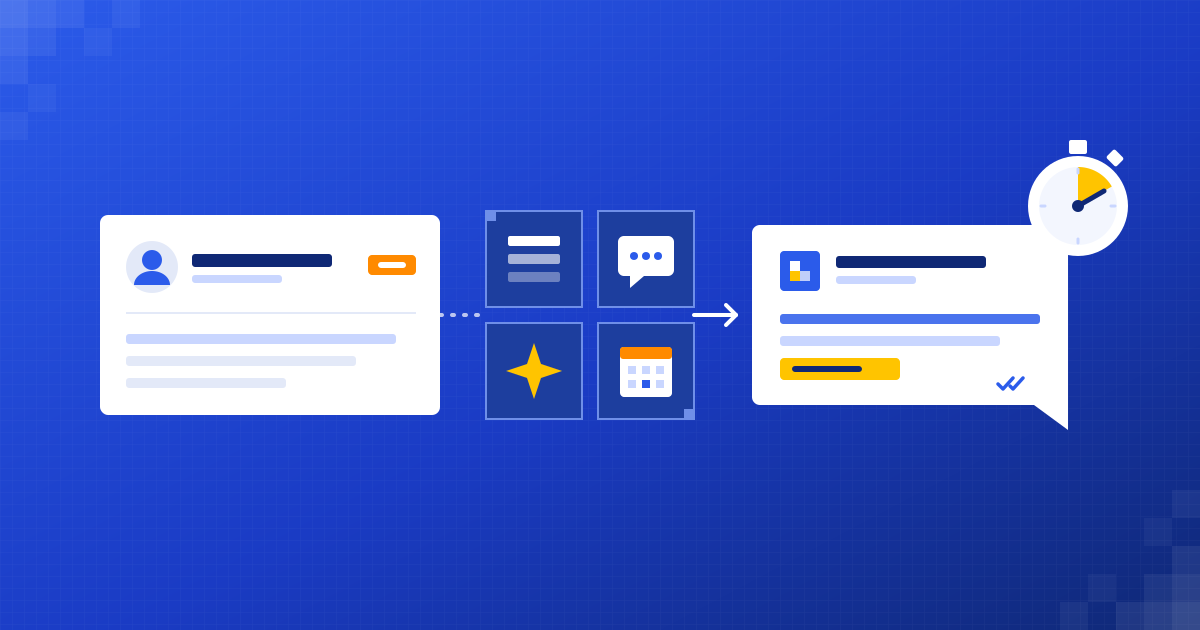
Every approach, from a built-in feature to a custom workflow, does some version of the same five steps:
- Capture: collect the invoice from an inbox, a folder, a phone photo or a supplier portal.
- Extract: read the supplier, invoice number, dates, tax and totals, and sometimes the line items.
- Check: catch duplicates, unknown suppliers and totals that don't add up.
- Approve: send anything unusual to a person.
- Post: create the bill in your accounting software with the original document attached.
The tools below differ in how many of those steps they cover, and how much control you get over each one. We've written about the process itself in more detail at /blog/automate-invoice-processing/.
Can your accounting software do it already?
Often, yes. Check what you already pay for before buying anything new.
- Xero: Hubdoc, Xero's data capture tool, gives you an email address to forward bills to, extracts the supplier, amount, invoice number and due date, and publishes the transaction to Xero with the document attached.
- QuickBooks Online: you can set up a forwarding address ending in @assist.intuit.com. Forwarded bills and receipts are read, and QuickBooks fills in details such as dates and amounts. Gmail users can auto-forward supplier emails to it.
- Zoho Books: autoscan reads uploaded or emailed bills and receipts and pulls out details such as the vendor, date, amount and line items, ready to turn into transactions. Each organisation gets an email address for forwarding files into its Inbox.
- TallyPrime: its strength is import. You can bring transactions in from Excel using a mapping template (Alt+O, then Import), and Tally also accepts data through its XML interface. The usual pattern is to extract invoice data elsewhere and import it.
Built-in capture is the cheapest place to start and needs no extra connections. It's weakest on unusual layouts, long line-item tables and custom approval rules.
Which dedicated invoice tools are worth looking at?
Dedicated tools do one job, accounts payable, and go deeper than built-in features.
- Dext Prepare: built for small businesses and their accountants. Documents come in by email, mobile app or upload. It extracts supplier, date, totals, tax and line items, flags duplicates and publishes to Xero, QuickBooks, Sage and others.
- Rossum: an AI document processing platform aimed at larger finance teams. It handles complex line items and new layouts, and adds GL and tax coding, matching against purchase orders and other documents, approval workflows and duplicate detection.
- Nanonets: AI document extraction with AP workflows on top. It extracts header fields and line items, can match invoices against purchase orders, routes approvals and connects to systems such as QuickBooks Online, Xero, NetSuite and SAP.
These tools fit businesses with steady, high invoice volumes, several approvers, or purchase orders to match against. For a business with a few dozen invoices a month, they can be more than you need.
Can you use Google or Microsoft AI to read invoices?
Yes. Both offer document AI services that developers can call from a workflow. They read the document and return structured data, but they don't post anything to your accounts on their own.
- Google Document AI: the Invoice Parser extracts the invoice number, supplier, dates, amounts, tax, VAT details and line items. There's also an Expense Parser for receipts and a Custom Extractor for documents with your own fields.
- Azure AI Document Intelligence: the prebuilt invoice model reads invoices, utility bills, sales orders and purchase orders from PDFs, scans and phone photos. It supports invoices in 27 languages and returns key fields and line items as JSON.
These suit businesses that want the extraction step inside their own workflow, often because they have a custom approval process, an ERP without good connectors or strict rules on where data goes.
When should you build a custom workflow with n8n, Make or Zapier?
A custom workflow makes sense when your process doesn't fit a packaged tool. Common reasons are invoices arriving in several places, approval rules that depend on supplier or amount, or data that needs to go to more than one system.
The shape is usually simple. An email trigger watches the inbox. An AI step reads the PDF, using a model such as OpenAI's, Anthropic's Claude or Google's Gemini, or a service like Document AI. Rule-based checks run next. Then the bill is created in Xero, QuickBooks or Zoho Books, or written to a sheet for Tally to import.
- n8n: most control, can be self-hosted so invoice data stays on your own server, and its template library includes ready-made flows for emailed PDF invoices.
- Make: good for visual flows with lots of branching, such as different checks per supplier.
- Zapier: quickest to set up, with AI by Zapier steps for extraction on paid plans.
We compare these three platforms in more depth at /blog/zapier-vs-make-vs-n8n/.
What should you check before choosing an invoice tool?
Run through these questions with your own invoices in front of you.
- Where do invoices arrive today? One inbox, several inboxes, WhatsApp, paper or a portal?
- How many a month, and how many suppliers? Volume decides whether a dedicated tool pays for itself.
- Does it read line items, or only totals? Many tools charge more for line items.
- Does it handle your tax details, such as GSTIN and HSN codes on Indian invoices, or VAT numbers?
- Does it connect directly to your accounting software, or only through a spreadsheet?
- How does it handle duplicates and unknown suppliers?
- Who approves, and can the approval rules match how you work?
- Where is the data stored, and who can see it?
How would we set it up?
For most small and mid-sized businesses, we'd do it in this order.
- Turn on the capture feature your accounting software already has, and see how far it gets with your real invoices.
- If it struggles, add a custom step that reads invoices with AI and runs your checks before anything reaches your books.
- Send anything unusual to one person for approval, with a clear note on what looked wrong.
- Post clean invoices to your accounting software with the original attached, and file the PDF by supplier and month.
- Review the flagged invoices for the first few weeks and tighten the rules as you go.
You can build this yourself with the tools above. Or have someone build it for you: that's what we do at Dizilus, inside the tools you already use. A free 30-minute audit at /free-automation-audit/ is a good place to start.
Questions people ask
What is the cheapest way to automate invoice processing?
Usually the capture feature already included in or sold with your accounting software, such as Hubdoc for Xero, bill forwarding in QuickBooks Online or autoscan in Zoho Books. Test it on your real invoices before paying for anything else.
Can Tally read invoices automatically?
The common approach is to extract invoice data with another tool and bring it into TallyPrime through its Excel import or XML interface. That keeps Tally as your book of record while the reading happens elsewhere.
Is AI accurate enough to read invoices?
On clear, digital PDFs, modern AI extraction is generally reliable. Blurry photos, handwriting and unusual layouts are harder, which is why every good setup includes checks and a human review step for anything that looks wrong.
Do I need a dedicated AP tool like Rossum or Nanonets?
Only if you have high volumes, several approvers or purchase orders to match against. For a few dozen invoices a month, built-in capture or a simple custom workflow is usually enough.
Written by
Shubham Naliyapara
Business & Sales Expert at Dizilus. You talk to the people who build your automations, not a sales rep.